The Arcive of vBulletin Modifications Site. |
|
|
|||||||


 Menu quick navigation Details »»
|
|||||||||||||||||||||||||||||||
I have improved the product now shown. as a drop down menu.
Description: ======================================== Displays an option to quickly navigate the forums. ======================================== Options ======================================== All phrases can be translated. ======================================== Installation: ======================================== Import product_chicoynanofastnavigation1.0.3.xml it through the 'Manage Products' page in the AdminCP. ======================================== How to uninstall: ======================================== Go to "Manage Products" in the admincp and delete the product named "Chicoynano - Fast Navigation vB5" 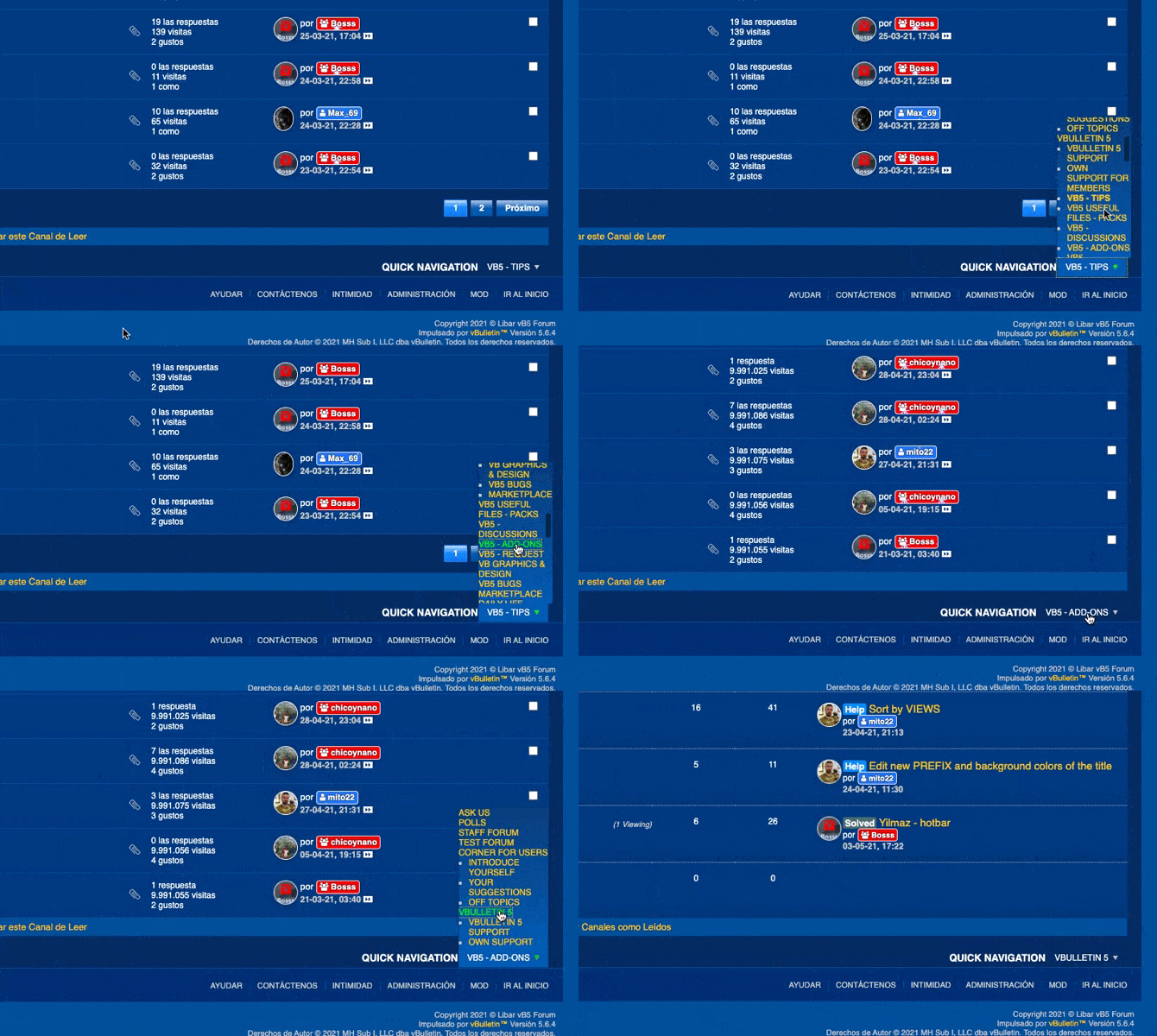 Please Mark as Installed if you use this.  Donations always appreciated. :up: Download Now
Screenshots
Show Your Support
|
|||||||||||||||||||||||||||||||

 About Developer


 Additional Files
  No support by the author.

| Comments |


|
#3
 07-30-2021, 03:13 PM
|
||||
|
||||

I'm sorry at the moment, I don't have time, but if you tell me what accessory you need, I'll be able to take a look to see that you can do greetings
Anyway, if you want to add a variable, you can do it in the ChicoynanNavigationforum template. 
|
|
#5
07-31-2021, 03:26 PM
|
||||
|
||||
|
Quote:
Code:
.b-comp-menu-dropdown__content {
    left: -113px !important;
    right: -72px !important;
}
|

 |
«
Previous Thread
|
Next Thread
»
|
|

All times are GMT. The time now is 07:33 AM.